Skip to main content

- Go to homepage
- Study
- Get started
- Unlock your account
Unlock your account
If your account is locked, you can wait for 20 minutes or follow the steps on this page to unlock your TAFE NSW account.
Before you start
If you have multifactor authentication set up you’ll need access to your device. Otherwise, you’ll need access to the personal email account you used to set up your TAFE account. We’ll send you an email with a security code that you’ll need to unlock your account and reset your password.
Step 1
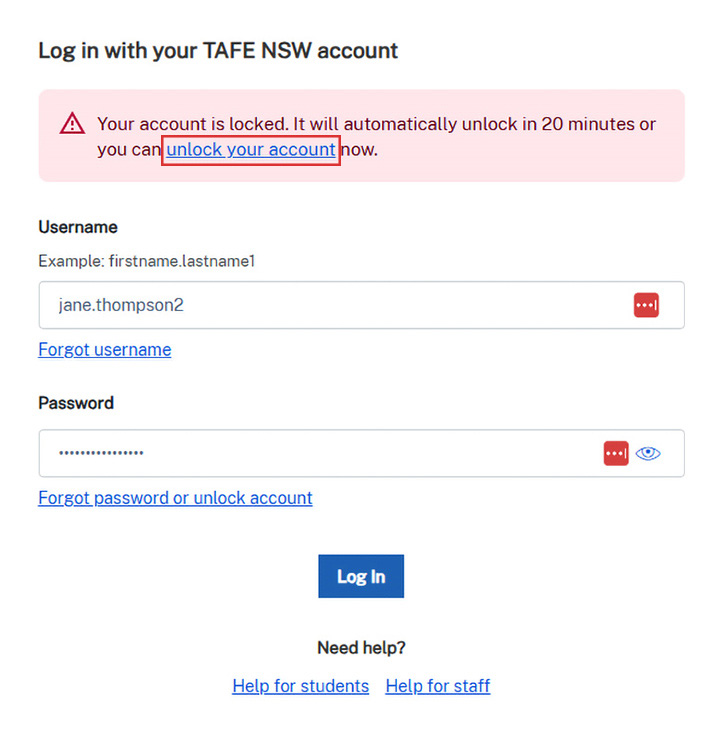
If you get an error message that your account is locked when you log in, select the ‘unlock your account' link in the error message.
Step 2
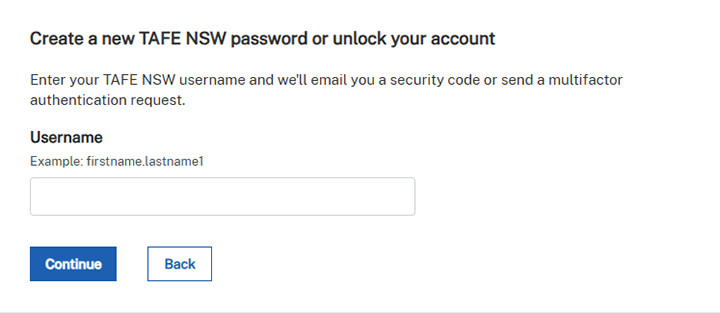
Enter your TAFE NSW username and select ‘Continue’.
Forgotten your username? Find your username.
Step 3
If you have multifactor authentication (MFA) set up on your devices, this will activate automatically. MFA is an extra identity check when you log in. It helps protect your personal information from cyber attacks. Learn how to set up MFA.
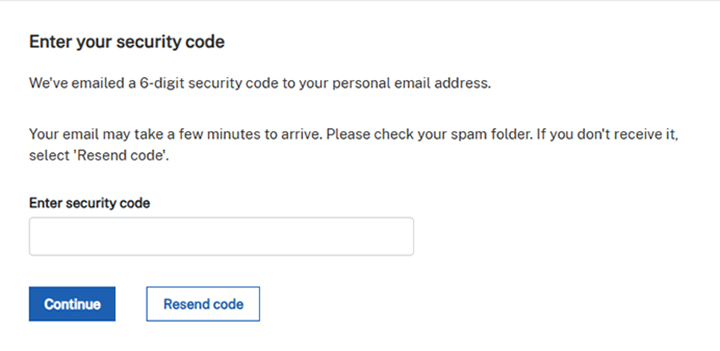
Otherwise, a 6-digit security code will be emailed to your personal email to unlock your account. Read the instructions and follow the prompts.
If you don’t have an email from us:
- it may be in your spam folder
- you may have used the wrong email address (if you have more than one personal email account)
- you may have mistyped the right email address.
Step 4
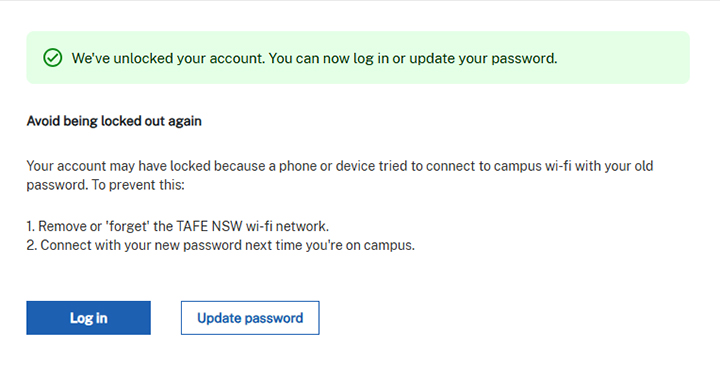
If you successfully unlock your account, there will be a confirmation message on the screen.
If you try to sign in more than 5 times using incorrect passwords, your account will lock. Next time you forget your password, instead of guessing, you can reset your password.
Avoid account lockouts
To avoid your account locking, go into your wi-fi settings to remove or ‘forget' and reconnect to the TAFE NSW wi-fi using your new password. Visit our Library services website to learn how to forget a wi-fi network on your device.
This will prevent your device trying to connect to campus wi-fi using your old password next time you’re on campus. If your account has locked, find out how to unlock your account.
We’re here to help
For technical support check out our self-help guides or if you still need help, live chat or call the Student Technology Service Desk on 131 601 and follow the prompts.